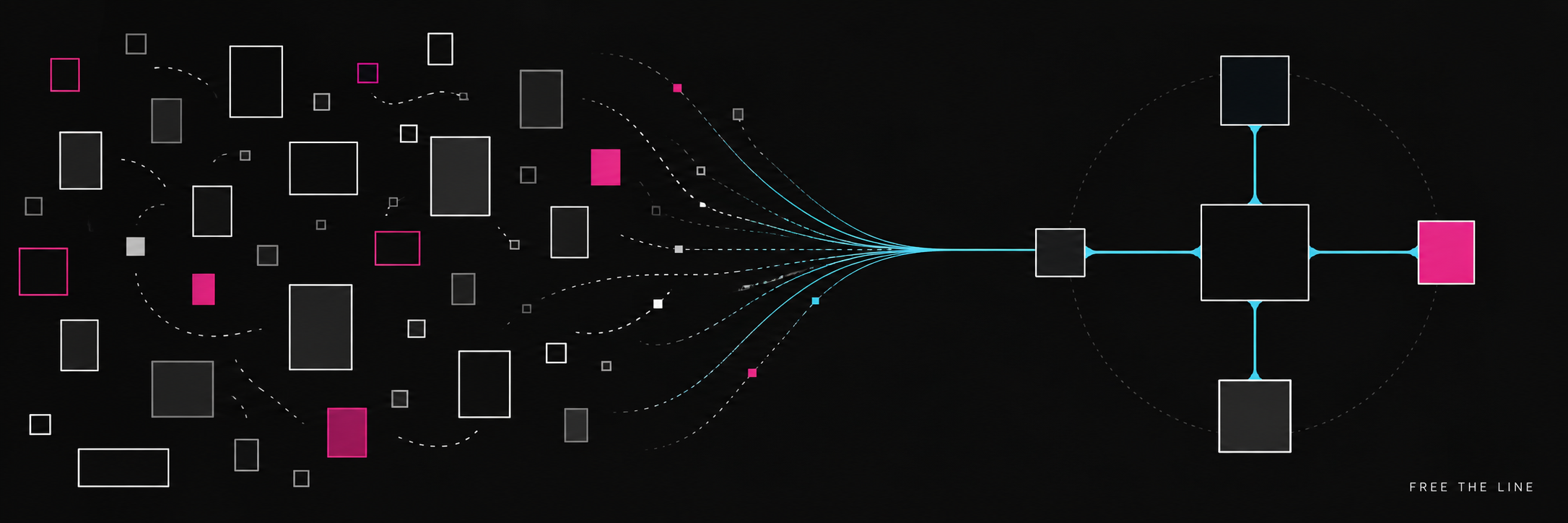
When a company has a problem, adding another application is usually the quickest solution. Project management software, customer relationship management (CRM) software, cloud storage, marketing automation software, ticketing software, analytics software, artificial intelligence (AI) software, etc., along with a growing number of subscription-based services, are adopted by teams. Each of these tools addresses a legitimate issue. Collectively they create a much larger issue. Data is duplicated across multiple systems. No one knows which system is the definitive source of information. Integrations fail silently. Subscription costs grow. Employees develop spreadsheets and manual workarounds to close the gaps created by disconnected systems. Companies do not necessarily need more software. They require a better system.
Why Software Sprawl Happens
Software sprawl seldom develops from a single poor decision. Software sprawl occurs slowly over time as individuals address their immediate needs. Every decision can appear reasonable at the time. Issues develop later as organizations attempt to manage the connections among their various decisions. A customer may exist in CRM software, accounting software, e-mail software, support software, and a spreadsheet. Product names and descriptions may vary among sales, inventory, and website. Project status may signify different things to different teams. Organizations own more software than ever before, yet have less clarity regarding their software environment.
Hidden Costs Include More Than Subscriptions
There are two types of costs associated with software - the obvious cost of the monthly or yearly subscription fee, and the less obvious cost of the human labor required to maintain disjointed software environments. Repetitive entry of the same information Identification of contradictions between systems Locating the most recent version of a file or record Recreating context prior to making a decision Training users on overlapping applications Fragile integration maintenance Exporting and reconciling data Loss of institutional knowledge upon employee departure Explanations of discrepancies between reports Development of manual workarounds when official processes fail Ultimately, organizations spend more time managing the relationships between their tools than performing the tasks that these tools were designed to assist with.
Begin with Capabilities, Not Products
Prior to purchasing or developing additional applications, identify the actual capability that the business requires. A CRM is a product category. The underlying capability may include establishing consistent historical records of relationships with customers, establishing accountability for follow-up activities, or identifying which customers merit additional attention. An AI chatbot is a product category. The capability may involve locating credible information for a user, generating a first draft of written content for a team member, or enabling a team to provide consistent responses to inquiries from users. A website is a product category. The capability may include providing accurate information to a specific audience while retaining the organization's voice and directing users to appropriate subsequent actions. Once the capability is clearly defined, an organization can evaluate existing tools, configurations, integrations, process enhancements, and/or custom development efforts based upon the same actual requirements.
Establish Authority for Information
A connected system starts with defining authority. Where does the authoritative customer record reside? Which system serves as the official source of product descriptions? Who approves public statements? Where is the documentation for an image located? Which system dictates publication status? How are corrections disseminated? Canonical data does not imply that every destination must utilize identical phrasing. A professional site, an artist site, a press page, and a social post may each necessitate unique formatting requirements.
However, the fundamental facts should originate from a verified source. Without this foundation, integrating systems will simply accelerate uncertainty.
Consolidate When Redundancy Causes Confusion
Consolidation is advantageous when multiple tools offer similar functionality and redundancy results in uncertainty, unnecessary expenses, or administrative complexities. Consolidation does not imply that all responsibilities should be integrated into a single massive software suite. A unified platform is not synonymous with a cohesive system. The fundamental question is whether consolidation results in a more efficient and reliable means of operating without reducing necessary capabilities or establishing unreasonable dependencies.
Integrate When Tools Are Capable but Disconnected
Specialized tools can be very effective at what they do.
Nevertheless, if specialized tools operate independently from one another, then employees will serve as the integration layer. A reliable integration should delineate: Direction of flow for information Authority for information synchronization Timing for synchronization Method for matching records Action taken when information is missing Prevention of duplicate records Visibility of failure points Approval requirements Retention requirements for history A connection necessitates an owner, a purpose, and a recovery plan. If a connection lacks these elements, it will become another invisible dependency that no one truly comprehends.
Replace When Current Tool Creates Constraint
Replacement is justified when a platform cannot adequately support current workflows, security needs, performance expectations, ownership requirements, integration options, or future growth potential. Replacing software should be a deliberate transition rather than an impulsive response to inconvenience. Organizations must comprehend all aspects of how their current software operates — including undocumented features and manual workarounds — before transitioning away from it. A successful replacement retains critical information, responsibilities, history, and continuity while eliminating the constraint(s).
Build When Requirement Is Unique and Critical
Custom software is not a universal solution for every inconvenience. Custom software establishes ongoing responsibility for security, maintenance, documentation, support, and enhancements. Building becomes more attractive when a workflow represents a core aspect of an organization; established products are structured inappropriately; multiple essential systems necessitate a single operating interface; or an organization possesses distinctive knowledge that can be converted into a repeatable capability. Typically, the most valuable custom system is not a replacement for every established platform. Rather, custom systems often represent the governed layer between established platforms — the location where trusted information, decisions, and workflows converge.
Artificial Intelligence Expands Capabilities — and Introduces Additional Fragmentation
AI enables teams to readily add new tools to their stacks. Teams may utilize separate applications for writing, researching, coding, meeting management, image creation/editing, customer service/technical support/help desk functions, analytics/reporting functions, etc., each with its own contextual and historical record. This represents another form of fragmentation. Organizations must determine what types of information an AI system may access; what sources an AI system should rely upon for accuracy; how generated content is reviewed/approved; where generated content is stored; who is accountable for generated content; and how an organization can audit processes that incorporate AI-generated content.
Ultimately, AI serves as an enhanced capability within a structured workflow — not merely an additional location where information disappears.
Mission HQ as a Connected Operating Environment
Mission HQ exemplifies how Free the Line addresses this challenge. Mission HQ is not designed to replace every specialized application. Instead, Mission HQ establishes a governed framework for canonical information; provenance/origin/relationships/assets/website voices specific to destinations/publishing workflows/AI-assisted work with human oversight. That framework can support numerous sites/creative projects while allowing each destination to retain its individuality. Mission HQ transforms collections of records/applications into a more manageable operating environment with room for expansion. Learn more about the connected system and principles behind Mission HQ by visiting Mission HQ.
Evaluating Software Environments
Free the Line does not assume that all software must be replaced or rebuilt prior to recommending a course of action. Free the Line evaluates work processes/information flows/users/technologies currently in use by organizations before recommending a course of action. Keep Retain tools that provide essential functionality reliably and fit within larger systems. Consolidate Eliminate unnecessary redundancy where several products produce identical work/conflicting records. Integrate Integrate reliable specialized systems via explicit ownership/data rules/monitoring/recovery mechanisms. Replace or Build Transition away from platforms that represent legitimate constraints or build new capabilities that meet central requirements when established products cannot adequately meet them.
Ultimately, there is no single predetermined outcome when evaluating software environments; rather, the objective is to create the simplest possible system capable of supporting organizations responsibly.
Create a System You Understand
A healthy software environment should clearly indicate where people perform work; where information originates; how tools interact; how failures are identified; and who is accountable for each critical responsibility. A healthy software environment should minimize duplicated efforts without concealing processes. A healthy software environment should facilitate access to accurate information. A healthy software environment should enable users to follow established procedures when automated processes cease functioning. Your business may not require more software; your business may require its software to evolve into a system. Continue by reading "Before You Automate Anything"; explore "What Is Free the Line?"; or reach out to info@freetheline.com to discuss your software environment